The real truth of HTTPS

What is HTTPS? to understand this go to
You can see the main difference between “Http://” and “Https://” in browser.
HTTP -
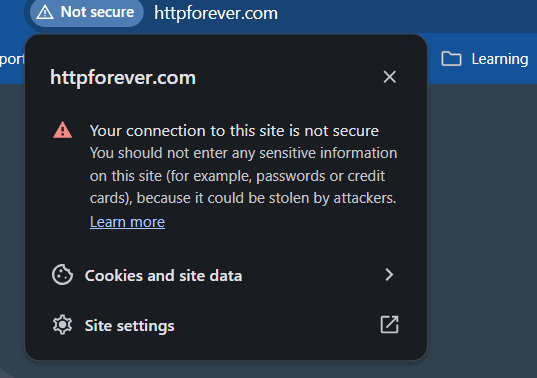
HTTPS -
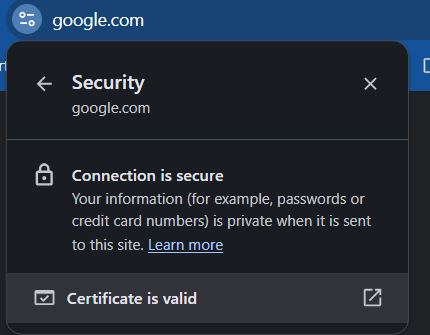
Http clearly says that the connection is not secure however on https connection is secure, with that there is a valid certificate.
Now, what is that “valid certificate”
If you click on “certificate is valid" , you'll see pop-up with the certificate details and at the bottom there is a public key.
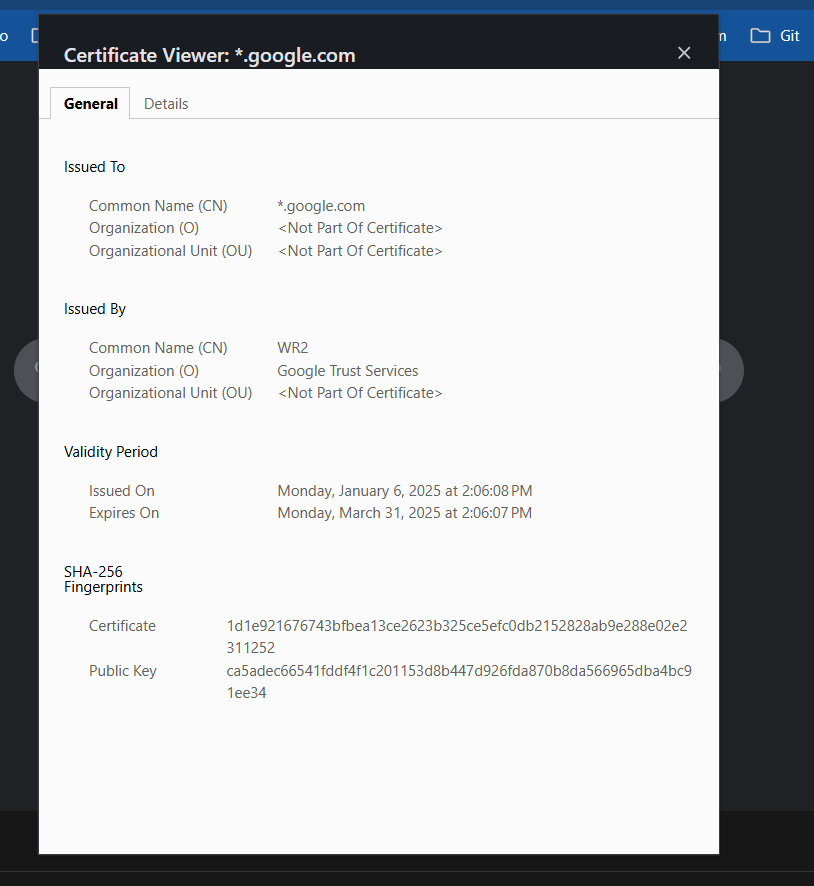
This is a SSL certificate which has a public key.
What is public key?
To understand public key lets understand “Keys”
Let’s say we have a key, using which we can encrypt data to protect it from hackers on internet.
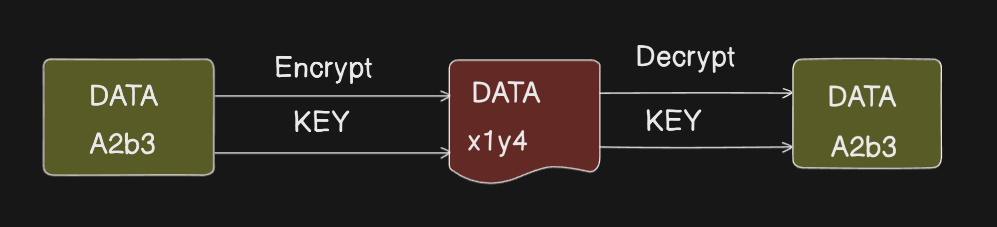
If the key used is same to “Encrypt” and “Decrypt” the data then it is called Symmetric key encryption.
If there are different keys used to “Encrypt” and “Decrypt” data then it is called Asymmetric key encryption.
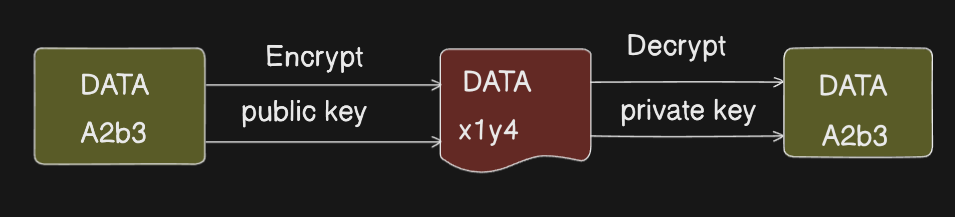
If Symmetric key encryption is used in https then anyone can leak data using the public key from the SSL certificate. which is why HTTPS uses Asymmetric key encryption.
How asymmetric key encryption works in SSL/TLS?
As we discussed in Internet deep dive that to establish TCP connection client(browser) and server do 3-way handshake.
There are 3 more steps involved in TLS handshake
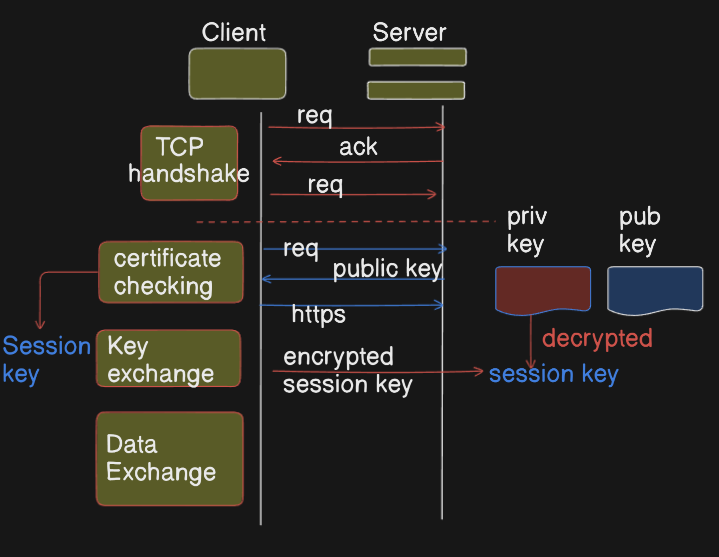
Once TCP connection is established.
Client again requests server to check certificate.
In response server sends a “public key” with a certificate. (this happen only in case of HTTPs).
Now, Https connection is established. after this Client and server exchange keys.
At client side a “session key” is generated which is encrypted using the “public key” and sent to server.
Server now decrypts it using the “private key”. both client and server now have same session keys.
using the same sessions key (Symmetric key encryption) continuous data transfer happens.
How to get SSL certificate?
Let’s encrypt is an open source tool to encrypt your website and get an SSL.
Please share your suggestions on how did you encrypt your website.


